


Preparing product images for Amazon and other marketplaces
Main-image rules, sizes, backgrounds and a workflow that lets one shoot serve every marketplace you sell on.
3 min read
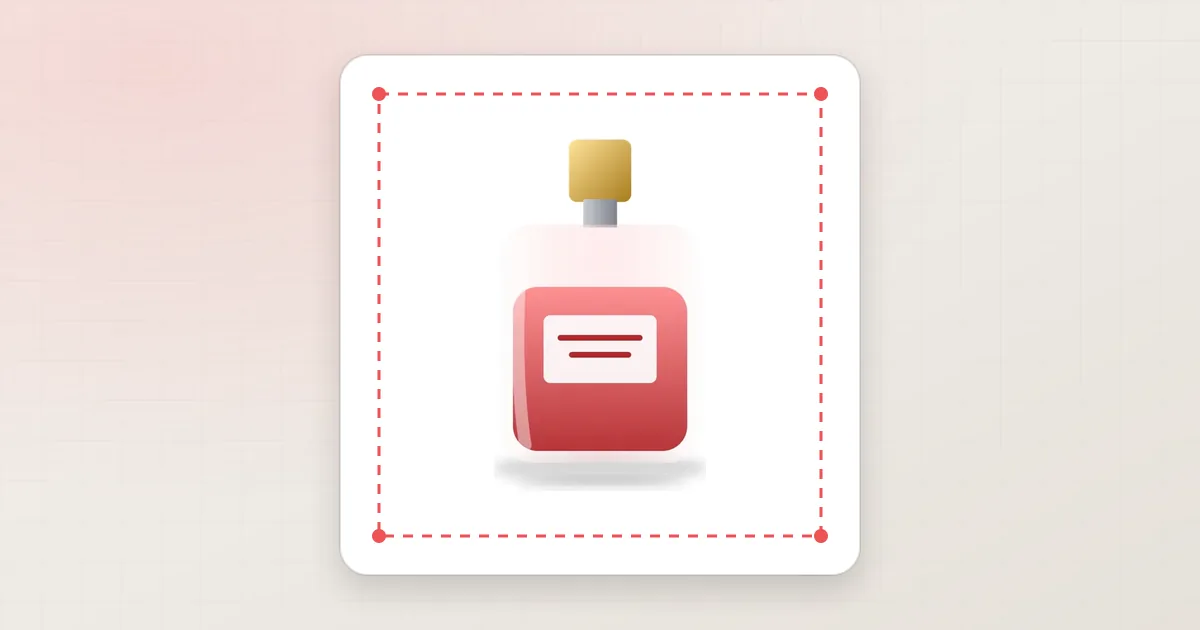
Marketplaces want their search results to look calm and comparable, so they set rules for product images — especially the main image that appears in search. A listing that breaks the rules can be suppressed or rejected, and one that barely meets them looks weaker next to competitors. Preparing images properly is part of preparing the listing.
Marketplace rules change. Always check the current image requirements in your seller account before a large batch — the points below are the common, long-standing ones.
Amazon main-image essentials
Amazon publishes detailed image requirements in Seller Central. The ones that cause most rejections are:
- A pure white background (RGB 255, 255, 255) for the main image.
- The product filling most of the frame — Amazon's guidance is around 85 % of the image area.
- Only the product being sold in the main image — no extra props, no text, logos or watermarks, no inset images.
- A large enough image for zoom: Amazon recommends at least 1,000 pixels on the longest side.
- The whole product in view, not cropped at the edges.
Secondary images have more freedom: lifestyle shots, details, size comparisons and infographics are allowed and useful.
Other marketplaces
Other marketplaces follow similar ideas with their own details — preferred aspect ratios, minimum sizes, background rules and file formats differ. Rather than memorising each list, treat every marketplace as a separate output of the same edited master image.
| Topic | What usually differs between marketplaces |
|---|---|
| Background | White required for the main image on some, recommended on others |
| Aspect ratio | Square is common; some prefer portrait for fashion |
| Size | Different minimum and recommended pixel dimensions |
| Product fill | How much of the frame the product should occupy |
| File type | JPG is universal; PNG or WebP accepted on some |
One shoot, many marketplaces
- Edit one high-resolution master per photo: clean cut-out, corrected colour, retouched.
- Keep the cut-out (a clipping path or transparent PNG) so the background can be changed without re-editing.
- Export per marketplace: background, canvas size, margins and file type from that marketplace's specification — our resizing and alignment service handles this step.
- Name files clearly, for example
SKU-main-amazon.jpgandSKU-main-shop.jpg, so uploads are never mixed up.
In our Client Portal, ready-made marketplace specifications (Amazon, eBay, Etsy, Shopify and others) start from each marketplace's published photo guidance, and you can adjust them to your own rules before ordering.

Secondary images that answer questions
After the main image, the rest of the gallery is where you sell. Marketplaces usually allow lifestyle photos, close-ups, size references and simple graphics there. A strong set for most products looks like this:
- The main image on pure white.
- The back or side view, edited the same way.
- A close-up of the material, texture or most important detail.
- A scale or in-use photo, so the size is clear.
- What is in the box, if the product comes with accessories.
- A simple graphic for dimensions or key features — only where the marketplace allows text on secondary images.
A quick check before you upload
- Is the main image background a true white, and does the product fill most of the frame?
- Is the longest side large enough for zoom on that marketplace?
- Do all images of the product show the same colour?
- Are file names and formats what the marketplace accepts?
- Did you check the marketplace's current image guidelines in your seller account this season?
Common mistakes to avoid
- An almost-white background (light grey) — it fails automatic checks and looks dirty next to pure white.
- A product that is too small in the frame, with large empty margins.
- Text, badges or "free shipping" stickers on the main image.
- Showing accessories that are not included in the sale.
- Low-resolution files that disable zoom.
Try it on your own photos
Tell us which marketplaces you sell on — the specification follows. Start a free trial in the Client Portal, upload a few product photos and compare the results with your current images — or tell us about your catalogue and we will suggest a workflow.
Keep reading
 Photo editingE-commerceWhy professional product image editing matters for e-commerceOnline shoppers cannot touch your products, so the photo carries the sale. A practical look at what professional product image editing improves, where it fits in your workflow and what to ask from an editing partner.Shopnil IT Editorial Team14 NOVEMBER 20264 min read
 E-commerceProduct photographyHow better product photos help an online store sell moreShoppers decide fast and decide on what they can see. This article walks through how product photos influence clicks, trust, add-to-cart decisions and returns, and which edits make the biggest difference.Shopnil IT Editorial Team14 NOVEMBER 20263 min read
 Photo editingE-commerceHow professional background removal improves product presentationBackground removal is the most requested product photo edit for a reason. This guide covers when to choose white, transparent or coloured backgrounds, what makes a clean cut-out, and how shadows keep products looking real.Shopnil IT Editorial Team14 NOVEMBER 20263 min read